Mission Control: AI-Powered Sales CRM Command Center
Mission Control solves workflow fragmentation by transforming the CRM into a proactive, AI-powered command center that curates data and provides generative tools for immediate execution.
Problem
Connect Sales is currently a fragmented CRM with 30+ pages where manual processes and data overload lead to "analysis paralysis," causing sellers to spend less than 50% of their time actually engaging with clients.
Assumptions
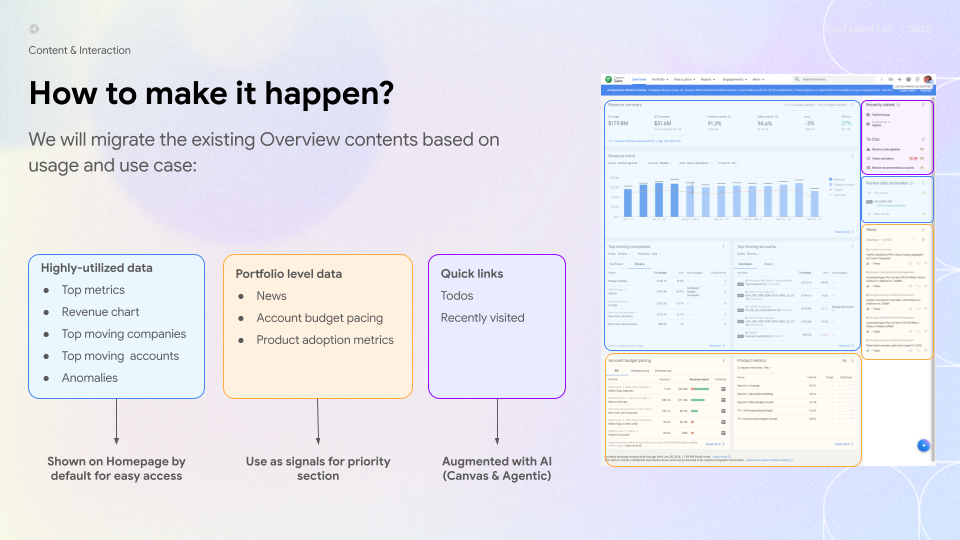
When designing the Mission Control Homepage, our initial concept leaned toward a chat-heavy, prompt-driven AI interface. Recognizing the risk of workflow disruption, I analyzed existing usage data and pivoted our strategy to an 'AI-first' experience that strategically preserves highly-utilized P0 workflows—such as revenue tracking and anomaly detection. I designed and initiated early concept testing between the two models, which revealed a strong user preference for my hybrid approach. By balancing familiar performance monitoring with new AI capabilities, this concept became the foundational framework for the final product.
Workshop & Research findings
Beyond foundational research, I ran rapid research with 5 users to validate early concepts and organized a workshop with 15 power users to co-design the designers.
Key Insights
Validated P0 Workflows
Sellers confirmed that maintaining core tasks like performance monitoring and alert response is essential, validating our hybrid AI-first approach.
"Custom Lenses"
Sellers requested content filtering (e.g., by CID or product) to ensure relevance.
Intent-Based Prioritization
Sellers confirmed the intent-based categorizations.
Design Iterations
Surfaced Magnitude of Change
Displayed explicit dollar values for revenue fluctuations to enable rapid prioritization.
Integrated Administrative Alerts
Added operational blockers (e.g., account suspensions) to the feed for faster resolution.
Design Principles
Bias for Judgement
Be an active copilot, not a passive autopilot. Shift from static lists (nouns) to action-driving triggers (verbs) so every pixel drives a specific decision.
Running Start
Eliminate dead ends and tool-hopping. Turn every insight into a 1-click "front door" to instantly kickstart workflows within an AI Canvas.
Transparency
Trust requires "proof of work." Embed explicit citations and visible sorting logic directly into the UI so sellers can confidently defend the AI's claims.
The Solution: Evolving from Nouns to Verbs
I transformed the Homepage into an AI-powered command center, shifting from passive dashboards ("nouns") to actionable, trigger-based insights ("verbs"). An intent-based framework now surfaces key opportunities like "Risers," "Decliners," and "Headroom," while the AI Canvas offers an interactive workspace for sellers and AI to co-create solutions.
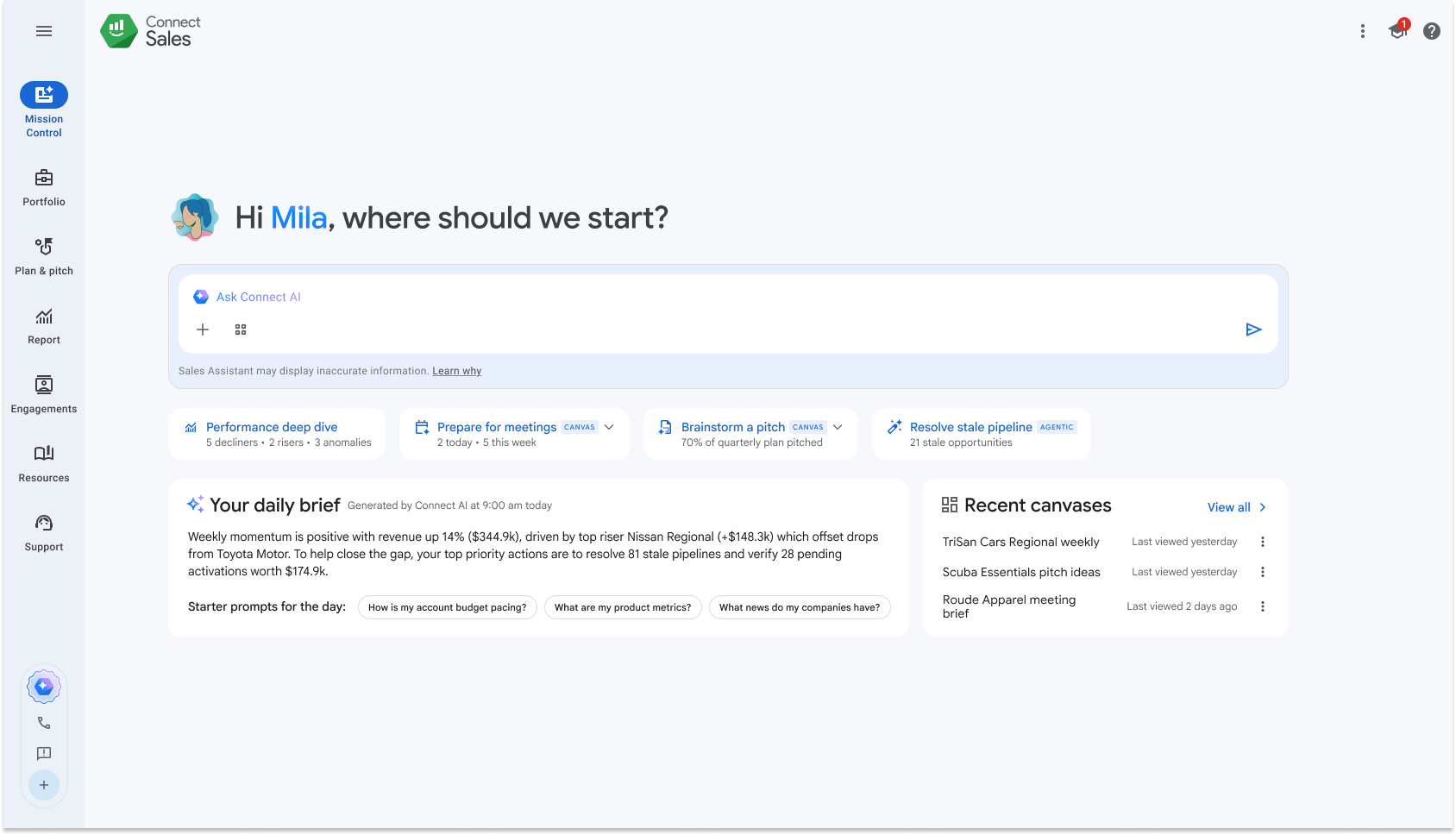
The Intent-Based Homepage (The "Landing")
Replaces passive data consumption with an intelligent launchpad that proactively surfaces and prioritizes top user intents and opportunities (e.g., "Risers," "Decliners," and "Headroom").
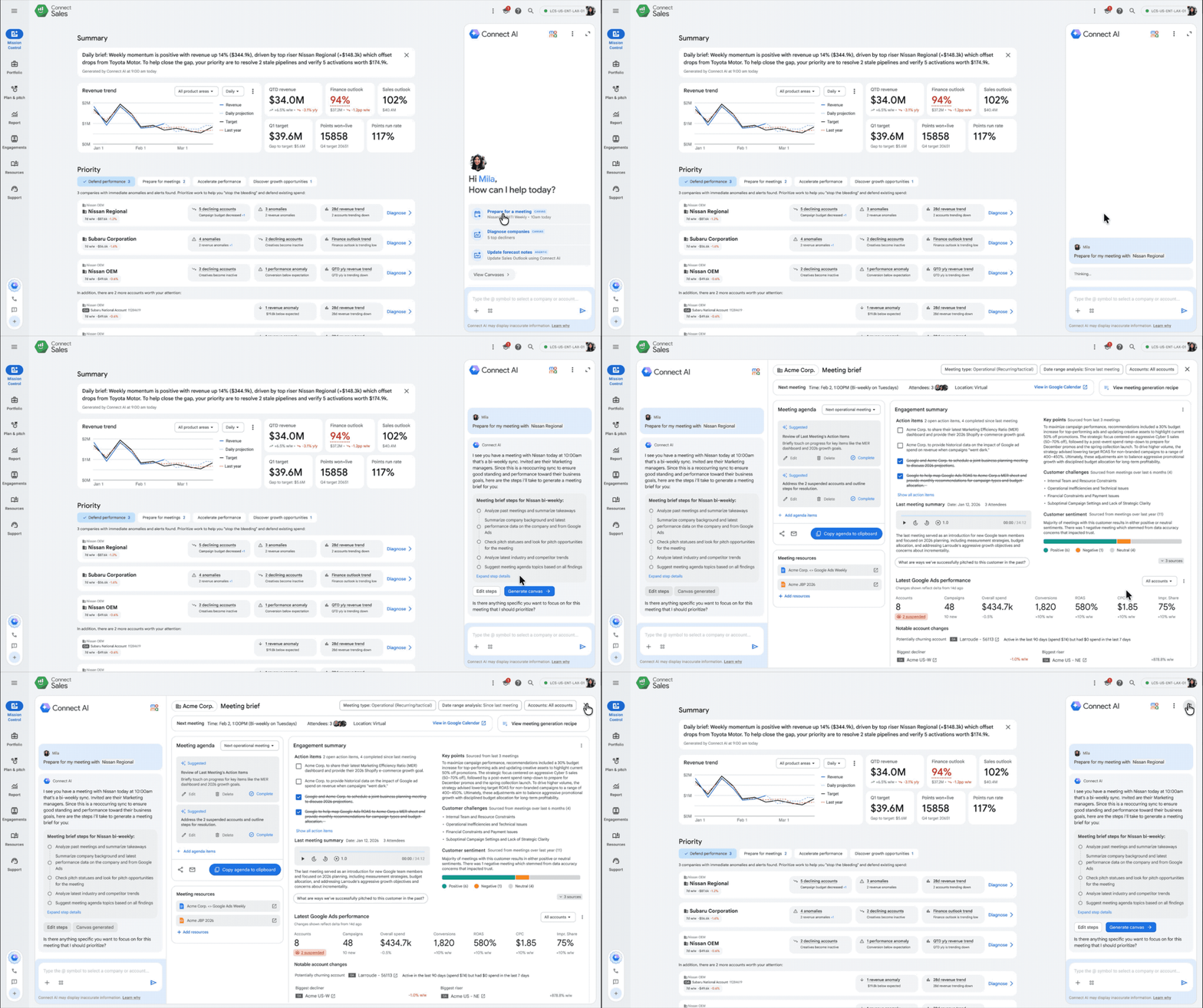
The AI Canvas Framework (The "Deep dive")
Once an opportunity is identified, the canvas provides a dedicated, interactive workspace where the seller and AI can seamlessly co-create customized solutions.
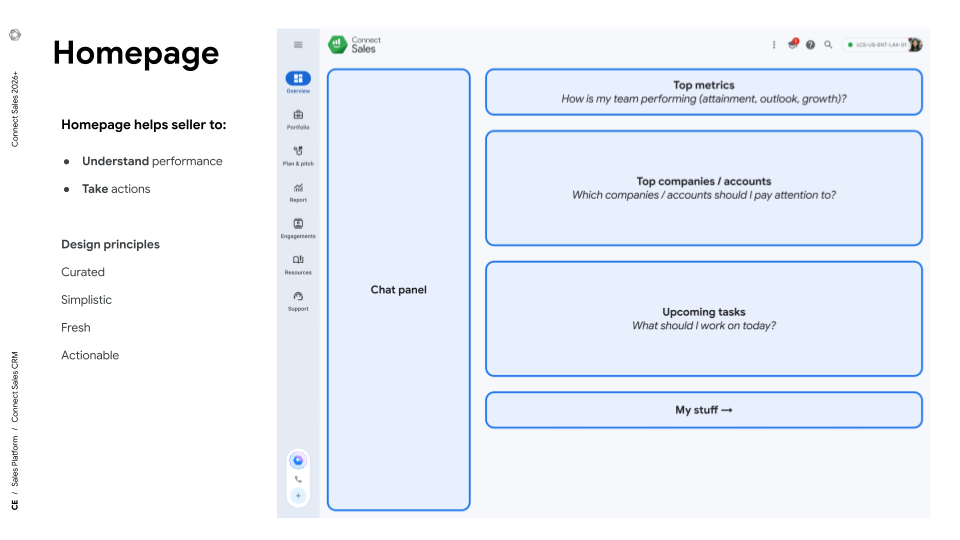
Homepage is designed to answer these questions:
1. "How am I doing?"
The homepage provides direct goal tracking by surfacing core metrics at the top. It continuously grounds sellers by comparing their real-time revenue specifically against targets and finance outlooks, ensuring they instantly know if they are pacing to hit or miss their goals.
2. "What needs my attention?"
Driven by a "bias for urgency," the homepage dynamically highlights anomalies and prioritizes accounts to help sellers "stop the bleeding". It presents a top focus area organized by an intent-based structure (Decliners, Risers, Upcoming Meetings, In-Quarter Pitch, Headroom) that prioritizes companies based on the intent.
3. "What should I do next?"
Homepage provides a 1-click entry point into a custom Connect AI Canvas for deep-dives, in-place resolution, and further customization.
4. “Keep my routine”
To ensure seamless adoption and avoid disrupting established seller routines, the homepage preserves highly-utilized P0 workflows—like performance monitoring—while using progressive disclosure to gently guide users into new, AI-empowered workflows.
Homepage with Connect AI
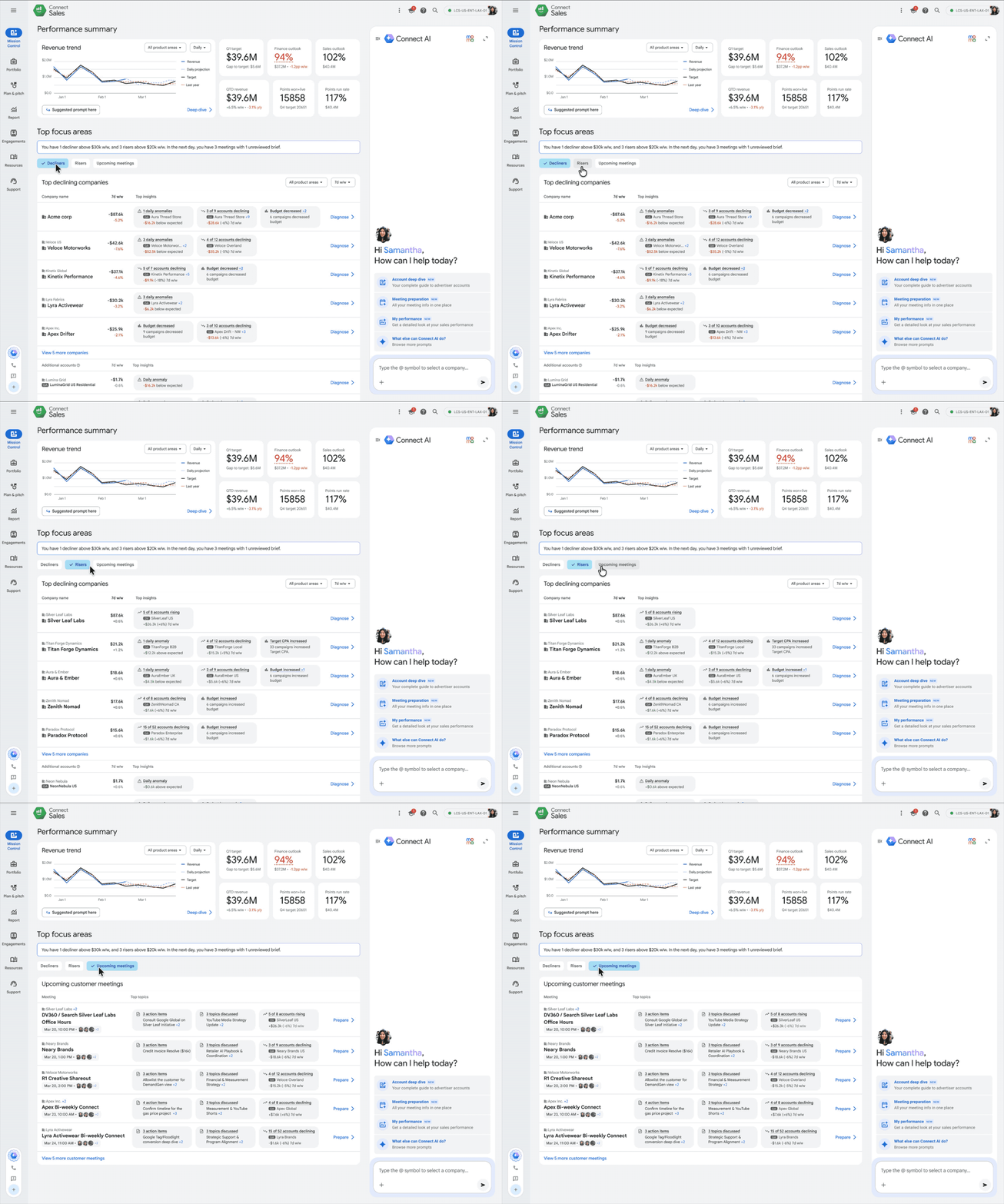
Interaction Model: Side panel on Homepage. Chat slides in and Homepage contents rearranged. Transition to full-screen model when Canvas is active.
Pros
- Utilize existing pattern
- Homepage contents side-by-side
Cons
- Limited chat space
- Large layout shift into Canvas
AI Prototype with Jetski
I leveraged AI to design for AI. I doubled down on vibe-coding, actively using Jetski to rapidly create and deploy interactive prototypes of the new AI canvases and homepage designs for fast iteration, leadership review and user validation.
Key Learnings
Sellers should never start from zero
Don’t over-rely on users knowing how to prompt AI. The Homepage needs to proactively surface the right insights before the seller even has to ask.
Backing Recommendations with Proof
To ensure our guidance was convincing and trustworthy, I surfaced necessary context and insights so sellers could easily understand and defend the insights.